- What Is a Hybrid Event Really?
- The Three Core Requirements: Camera, Audio, Internet
- Camera Setup for Hybrid
- Audio for Remote Audiences
- Internet: The Make-or-Break Factor
- Choosing a Platform
- Engagement: Making Remote Attendees Feel Present
- Common Hybrid Event Mistakes
- What It Actually Costs
- How FPC Delivers Hybrid Events
What Is a Hybrid Event Really?
A true hybrid event is not simply pointing a webcam at a stage and sharing a link. It is a dual-audience experience where both the in-person attendees and the remote viewers receive a purposefully designed, high-quality experience. The in-room audience has the live atmosphere, the stage presence and the networking. The remote audience receives a broadcast-quality video feed with professional audio, engaging graphics and meaningful interaction tools that make them participants - not spectators.
The challenge - and the reason hybrid events require genuine production expertise - is that serving two audiences simultaneously doubles the technical complexity. You're not just running a live event; you're running a live event AND a broadcast at the same time. Every decision in audio, video, lighting and content must work for both audiences and those audiences have fundamentally different needs.
After producing hybrid events for clients including pharmaceutical companies like Sanofi and BeiGene, as well as major industry congresses, our team at FPC has developed clear frameworks for what makes hybrid events succeed - and what causes them to fail. This guide breaks down every component in plain language, without the broadcasting jargon.
The Three Core Requirements: Camera, Audio, Internet
Strip away all the complexity and every hybrid event comes down to three things your remote audience needs: something to see (camera/video), something to hear (audio) and a way to receive it (internet). Get all three right and your hybrid event works. Get any one wrong and the entire remote experience collapses. Let's examine each one.
Camera Setup for Hybrid
The video component is what remote attendees see on their screens - and it needs to be significantly better than what you'd get from a webcam or a single fixed camera at the back of the room.
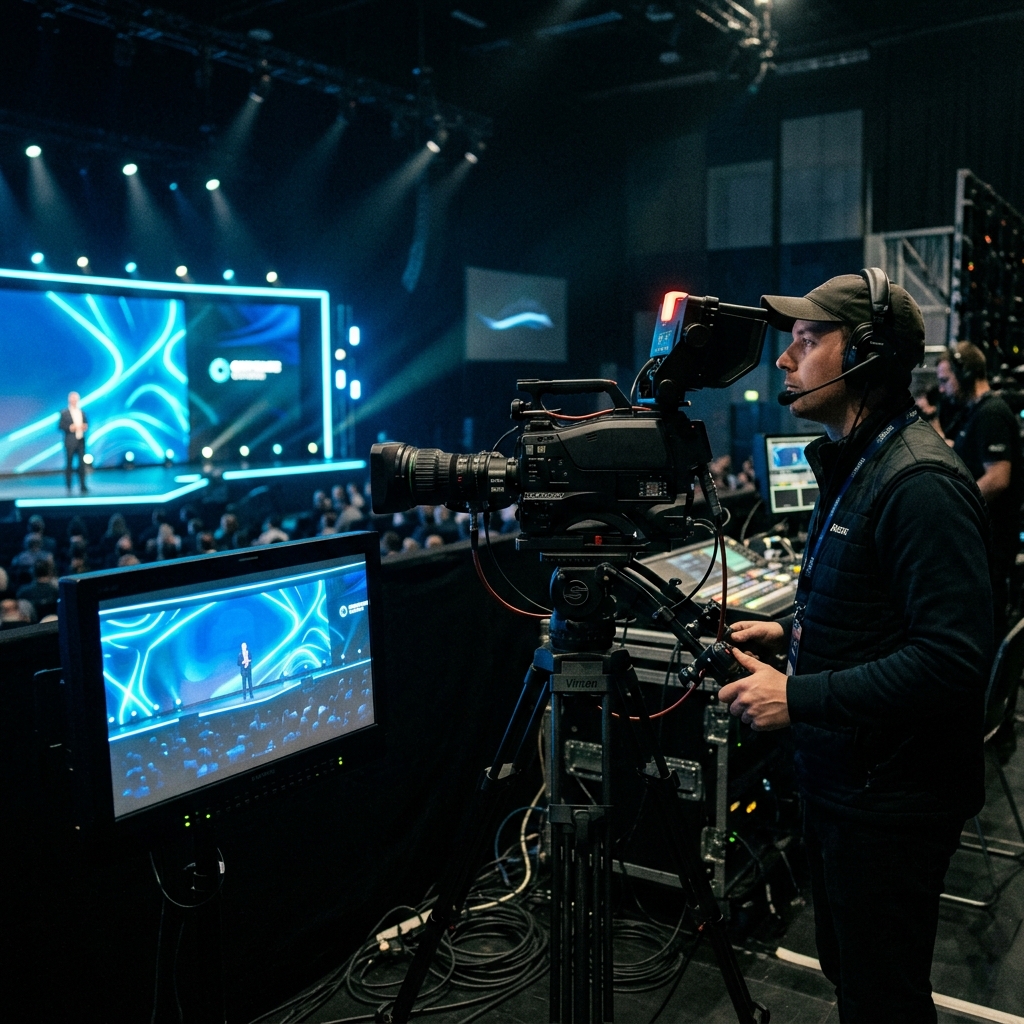
Dedicated stream cameras vs. room cameras. Most in-person events with a large audience use IMAG cameras - cameras that project a live, magnified image of the speaker onto large screens in the room so attendees in the back rows can see facial expressions and details. These cameras are operated for the in-room audience: the shots are wide, the camera movements are loose and the framing assumes the viewer is watching on a 15-foot screen from 100 feet away.
Remote attendees are watching on a 14-inch laptop or a 6-inch phone screen. They need tighter framing, more deliberate shot composition and smoother camera movements. A wide shot of a speaker on a large stage - which looks great on an IMAG screen - appears as a tiny figure lost in a dark void on a laptop. This is why the best hybrid events use dedicated stream cameras or, at minimum, a dedicated stream director who selects and frames shots specifically for the online audience from the available camera feeds.
Why IMAG cameras alone aren't enough. IMAG camera operators follow the action for the room. When a speaker walks to the edge of the stage, the IMAG operator pans wide to keep them in frame - because the in-room audience can still see the speaker with their own eyes. But on the stream, that wide pan leaves the remote audience watching a distant figure on a large stage. A dedicated stream camera operator would hold a tighter shot, tracking the speaker's face and upper body, giving the remote audience the intimacy they need to stay engaged.
The practical recommendation: for events with 200+ remote attendees or any event where the stream is a primary deliverable (not an afterthought), invest in at least one dedicated stream camera position. For larger hybrid events, two to three stream cameras - a tight shot of the speaker, a wide shot of the stage and a content/slide capture feed - give the stream director enough coverage to create a broadcast-quality viewing experience.
Audio for Remote Audiences
If video is what remote attendees see, audio is what determines whether they stay. Bad video is tolerable - people will watch a slightly grainy stream if the content is valuable. Bad audio is not tolerable. If remote attendees can't hear clearly, they close the browser within minutes. This makes audio the single most critical technical element of any hybrid event.
Why the room mic mix doesn't work for stream. The audio mix that sounds great in the room is optimized for the in-room experience. The PA system uses equalization to compensate for the room's acoustic characteristics - boosting certain frequencies to cut through reverb, rolling off low-end to prevent muddy bass in a large ballroom. This equalized mix sounds wrong when sent directly to a livestream because the stream listener is wearing headphones or using computer speakers - neither of which has the room's acoustic challenges.
Separate broadcast mix required. Professional hybrid events use a separate audio mix for the stream - called a "broadcast mix" or "clean feed." This is a direct mix from the audio console (Yamaha CL/QL series, DiGiCo SD series, Allen & Heath dLive or similar) that takes the raw microphone signals, applies broadcast-appropriate processing and sends a clean, balanced mix to the streaming encoder. The broadcast mix doesn't include room ambience, PA feedback artifacts or the extreme EQ curves applied for the room. It sounds natural, clear and consistent - exactly what headphone listeners and computer speakers need.
The A1 audio engineer (the primary mix engineer) typically handles the room mix, while a second engineer or a dedicated broadcast mix is set up on the console's matrix or bus outputs. This is a standard workflow on professional digital consoles, but it does require planning, additional output routing and sometimes a second operator. It is not something you can add as an afterthought on show day.
Internet: The Make-or-Break Factor
You can have the best cameras and the cleanest audio in the world and it all becomes irrelevant if the internet connection fails. Internet is the delivery mechanism - it's the highway that carries your video and audio from the venue to every remote attendee. If the highway is congested, the stream stutters, buffers and drops. If the highway is closed, the stream dies entirely.
Bandwidth requirements. A single-camera HD livestream at 1080p requires approximately 5-10 Mbps of sustained upload bandwidth. A multi-camera production with high-quality encoding needs 15-50 Mbps of upload, depending on resolution and encoding settings. These numbers represent the minimum sustained throughput, not the "up to" speed your ISP advertises.
Dedicated line vs. shared WiFi. The venue's guest WiFi is never acceptable for a production livestream. Guest WiFi is shared bandwidth - it competes with hundreds of attendees checking email, posting to social media and streaming their own video calls. A single attendee downloading a large file can spike network congestion and crash your stream. The production team needs a dedicated, hardwired ethernet connection - ideally a separate circuit from the venue's ISP that is not shared with any other venue operations. Many convention centers and hotels offer "production internet" or "exhibitor internet" packages specifically for this purpose.
Bonded cellular backup. Even dedicated hardwired connections can fail - ISP outages, damaged cables, misconfigured network equipment. Professional hybrid productions always have a backup internet path. The most common backup is bonded cellular: devices like LiveU, Peplink or Mushroom Networks aggregate multiple cellular connections (4G/5G from multiple carriers) into a single, reliable data pipe. If the primary hardwired connection drops, the stream switches to cellular within seconds - often without the remote audience noticing any interruption. For mission-critical streams, some productions run bonded cellular as the primary connection and the hardwired line as the backup, since cellular is often more reliable than venue internet infrastructure.
Ready to Elevate Your Next Event?
FPC delivers flawless AV production for corporate keynotes, product launches and hybrid conferences.
Get a Production QuoteChoosing a Platform
The streaming platform is where your remote audience actually watches the event. The right choice depends on your audience size, interaction requirements, branding needs and budget.
Zoom and Microsoft Teams. These platforms excel at two-way interaction - participants can ask questions via audio/video, use chat, participate in polls and join breakout rooms. They're ideal for hybrid events with smaller remote audiences (under 500) where interaction is a priority, such as internal town halls, training sessions or workshop-style events. The limitation is scalability and viewer experience - large Zoom webinars can feel generic and branding options are limited.
YouTube Live and Vimeo. These are one-to-many broadcast platforms that scale to thousands or tens of thousands of concurrent viewers with no degradation in quality. They're better for large keynotes, product launches and events where the remote audience primarily watches rather than interacts. YouTube is free and has massive reach; Vimeo offers more professional features, privacy controls and an ad-free experience. Both support live chat for basic audience engagement.
Custom branded platforms. For premium corporate events - especially in pharmaceutical, automotive and financial services - a custom-branded virtual event platform (Hopin, Swoogo, ON24 or similar) provides a fully branded environment with registration, analytics, session tracks, networking features and sponsor integrations. These platforms cost more but deliver a polished, on-brand experience that reflects the event's professional caliber. We've used custom platforms for pharmaceutical congress events where compliance requirements, attendee tracking and CME credit documentation demand capabilities that consumer platforms simply don't offer.
Engagement: Making Remote Attendees Feel Present
The biggest failure mode in hybrid events isn't technical - it's experiential. The stream works perfectly, the video is crisp, the audio is clear and the remote audience still disengages after 20 minutes because they feel like passive spectators watching through a window. Making remote attendees feel like genuine participants requires intentional design:
Q&A integration. Remote attendees should be able to submit questions that are treated with equal priority to in-room questions. The best approach is a unified Q&A system (Slido, Mentimeter or built into the streaming platform) that both audiences use. A moderator reads selected questions aloud, explicitly noting when a question comes from the virtual audience: "This question comes from Sarah in our online audience…" This acknowledgment signals to every remote attendee that their participation matters.
Polls and audience response. Live polls that both audiences participate in simultaneously create a shared experience. Displaying the combined results on the in-room screens - "67% of our combined audience agrees…" - unifies the two groups. Polls also provide data that speakers can react to in real time, making the content dynamic rather than one-directional.
Chat moderation. An unmoderated chat quickly becomes either a ghost town or a distraction. Assign a dedicated chat moderator who welcomes attendees by name as they join, highlights interesting comments, surfaces technical questions to the speaker and maintains a conversational tone. The moderator is the voice of the event for remote attendees - they bridge the gap between the virtual and physical spaces.
Breakout rooms. During in-person networking breaks and meal periods, remote attendees have nothing to do. Hybrid events that work well provide virtual breakout rooms, scheduled video networking sessions or facilitated discussion groups that mirror the in-person networking experience. This requires additional technology and moderation, but it dramatically improves remote attendee satisfaction and retention.
Common Hybrid Event Mistakes
Having produced hybrid events for over a decade across pharmaceutical, automotive and corporate sectors, we've identified the mistakes that consistently undermine otherwise well-planned events:
Treating the stream as an afterthought. "We'll just add a Zoom link" is the most expensive sentence in hybrid event planning - because it sets expectations for a low-cost solution to a complex production challenge. By the time the client realizes the stream needs dedicated cameras, a broadcast audio mix, a streaming encoder, a graphics operator and a chat moderator, the budget and timeline assumptions are already locked. Build the hybrid component into the event design from day one, not as an add-on in the final week.
Using venue WiFi for the stream. We covered this above, but it bears repeating: guest WiFi will fail under load. Every. Single. Time. A dropped stream during the CEO's keynote - in front of hundreds of remote executives - is a career-defining mistake for the event planner and a reputational risk for the brand. Dedicated hardwired internet with cellular backup is not optional; it's insurance.
Ignoring the remote audio experience. The in-room audience hears the speaker through a professional PA system tuned for the space. The remote audience hears whatever the streaming encoder receives. If that's a room mic picking up echo and air conditioning noise or a PA feed with aggressive room EQ, the remote experience is terrible. Always provide a dedicated broadcast audio mix. Refer to our livestream checklist for the complete technical requirements.
No one addressing the virtual audience. If the speaker never looks at the camera, never acknowledges remote attendees and never references the virtual audience, those attendees feel invisible. Brief the speaker to include at least two or three moments where they directly address the camera: "For those of you joining us online…" or "I see some great questions coming in from our virtual audience." These small moments have an outsized impact on engagement.
Identical content for both audiences. The in-room audience has a three-dimensional, multi-sensory experience. The remote audience has a rectangle on a screen. Content that works in the room - a speaker walking across a wide stage, a physical product demo happening in a corner of the stage, an audience participation exercise - may not translate to the stream. Consider how each content element will be experienced by the remote viewer and adjust accordingly.
What It Actually Costs
Hybrid events cost more than in-person-only events because you're essentially producing two events simultaneously. However, the cost isn't double - it's typically an additional 30-60% on top of the in-person production budget, depending on the level of virtual production quality required. Here's where the money goes:
Streaming equipment. A professional streaming encoder (Blackmagic ATEM, vMix system or similar), dedicated camera positions, streaming-specific graphics hardware and any necessary signal conversion and routing. For more on AV production costs, see our detailed breakdown.
Dedicated internet. A hardwired production internet line from the venue, plus bonded cellular backup. Venue internet packages for production use vary depending on the venue and bandwidth requirements.
Additional crew. A stream director (who selects camera shots for the online audience), a graphics operator (who manages lower-thirds, name graphics and title cards for the stream), a streaming engineer (who manages the encoder and monitors stream health) and a chat moderator. This is typically 3-4 additional crew members beyond the in-person production team.
Platform licensing. Streaming platform fees vary widely - YouTube Live is free, Vimeo incurs ongoing costs and enterprise virtual event platforms require substantial investment depending on features, attendee count and customization.
Post-production. Many hybrid events require edited recordings of sessions, which means additional post-production time and cost for editing, captioning and distribution.
How FPC Delivers Hybrid Events
At FPC, hybrid events are one of our core specialties. As a production consultancy - not a rental house - we design hybrid experiences from both audiences' perspectives, ensuring neither the in-room nor the remote experience is compromised.
Founded by Andrew Florencia with over 13 years of experience and 500+ show days, our approach to hybrid events begins with a fundamental question: what does the remote attendee experience need to look and feel like? This isn't an afterthought - it's the design driver that shapes camera positions, audio routing, internet infrastructure, platform selection and engagement strategy from the very first planning meeting.
Our vendor-agnostic model means we source the specific streaming equipment, cameras and platforms that best serve each event - not the equipment we happen to own. For a pharmaceutical advisory board with 30 in-person and 15 remote physicians, that might mean a simple Zoom Webinar with a single high-quality camera and a dedicated broadcast mix. For a 2,000-person corporate conference streaming to 5,000 remote attendees across three time zones, that means a multi-camera production with a custom-branded platform, real-time translation and bonded cellular backup on two redundant internet paths.
We've delivered hybrid events for some of the most demanding clients in the industry - brands like NFL, Mobile World Congress and Baxter - where stream reliability isn't a preference but a requirement. Our track record across 100+ brands gives our clients confidence that the technical complexity of hybrid is managed by a team that has seen and solved every failure mode.
If you're planning a hybrid event and want to understand what your specific requirements will look like - and cost - reach out to us. We'll provide an honest assessment of what's needed, what's optional and where to invest your budget for maximum impact on both audiences.